
What Is an LFD Screen? Large Format Display vs a Normal TV for Your Business
By Aaztec · Updated · about 10 min read
Short answer: an LFD (large format display) screen is a commercial-grade LCD monitor, usually 32 to 98 inches, built for signage: long or round-the-clock running, higher brightness, portrait mounting, and remote control over a network. It looks like a TV, but a home TV is not designed or usually warranted for that work.
Key takeaways
- An LFD is a business display, not a bigger TV. The difference is in duty hours, heat handling, brightness, mounting and control.
- NEC’s own comparison says home TVs rarely go above 300 cd/m² (nits), while bright lobbies and airports need 700 or more.
- Some TV makers state that commercial use voids the warranty. Read the warranty card before putting a TV in a shop or office.
- For one screen up to about 98 inches, an LFD is usually the simple answer. Bigger than that, look at an LCD video wall or an LED wall.
- Ask for the spec sheet: brightness, rated hours per day, portrait support, operating temperature, and RS-232 or LAN control.
What does LFD mean, and what is an LFD screen used for?
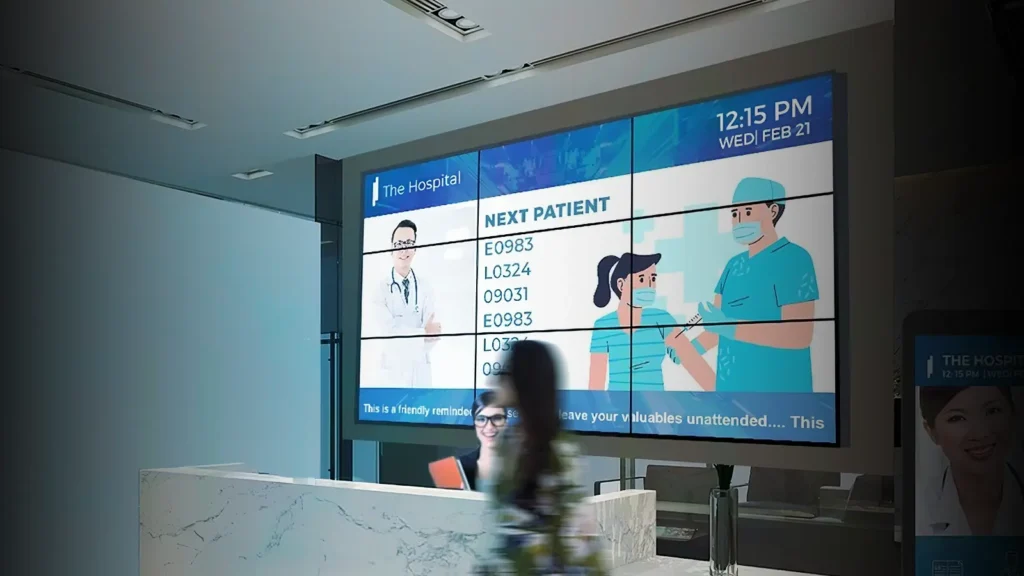
LFD stands for large format display. In shops and offices it means a commercial LCD screen sold for signage, not for watching television at home. You see LFDs as menu boards in restaurants, token and queue screens in hospitals and banks, notice screens in lobbies, standees in showrooms and meeting-room displays.
Most people asking about LFDs have already tried a TV, or been told a TV will do. Sometimes it does, for a while. The trouble usually starts months later: the screen looks washed out by the afternoon sun, a logo stays faintly burned into the picture, or the set dies and the warranty claim is refused. An LFD is built to avoid exactly those three problems.
Our own large format display range runs from 32 to 98 inches in 4K, in landscape or portrait.
How is an LFD different from a normal TV?
From across a room the two look the same. The differences are inside and on the spec sheet. Display maker NEC (now part of Sharp) sets them out in its LFD vs TV white paper, and they match what we see in installations:
| Point | Home TV | LFD (commercial display) |
|---|---|---|
| Running hours | Designed for a few hours of home viewing a day | Designed for long daily hours; many models are rated for up to 24 hours a day |
| Brightness | NEC says home TVs rarely exceed 300 cd/m² | About 350–500 cd/m² for normal rooms, 700 or more for bright spaces (NEC); high-brightness models go higher |
| Heat handling | Built for a ventilated living room | Designed to shed heat in landscape or portrait, often with temperature sensors |
| Image retention (burn-in) | Static logos and menus can leave a ghost image | Commercial panels and pixel-shift modes to reduce it (NEC) |
| Mounting | Landscape on a stand or wall | Landscape or portrait; built for frames, kiosks and video walls |
| Control | Remote control and apps | RS-232 or LAN control, scheduling, remote on/off, content management software |
| Warranty use | Usually written for personal or domestic use | Written for business use |
cd/m² (candela per square metre) and nits mean the same thing. Figures are from the NEC/Sharp white paper; check the exact numbers on the model you buy.
Can you use a normal TV for digital signage?
You can, and for a screen that runs a couple of hours a day in a dim room it may be fine. Before you do, check three things:
- The warranty card. Some brands say plainly that business use is not covered. Sansui India’s policy, for example, says the warranty “will be void if product is used for any commercial purpose” (Sansui warranty policy). Not every brand words it this way, so read yours.
- Hours. A shop screen often runs 10 to 14 hours a day, every day. That is several times what a home TV does.
- Static content. Menus, prices and logos sit in the same place all day. That is the situation NEC warns about for image retention on TVs.
If the screen is central to your business, such as a menu board, a token display or a showroom standee, the cost of it going dark usually outweighs the money saved on a TV.
How bright should an LFD screen be?
Brightness is the one number that most often decides whether a screen works. Match it to the light where the screen will hang:
| Where the screen goes | What to look for |
|---|---|
| Meeting room, corridor, dim restaurant | About 350–500 nits is usually enough (NEC’s “moderate” class) |
| Bright office, hospital lobby, mall interior | 700 nits or more (NEC says airports and glass atriums need at least this) |
| Facing a shop window or in direct sun through glass | A high-brightness LFD; our range goes up to 3,500 nits |
| Fully outdoors | A weatherproof outdoor LFD or an outdoor LED screen, not an indoor model |
More is not always better indoors. A very bright screen in a small room is tiring to look at and uses more power, so ask whether the model can dim on a schedule or with a light sensor.
Can an LFD screen run 24 hours a day?
Many can, but check the model. Spec sheets state the rated duty, for example 16 hours a day or 24 hours a day, every day. NEC describes its LFDs as designed for operation “up to 24 hours a day” with dedicated heat paths and sensors. If your screen will run overnight, as in a hospital, airport, control room or 24-hour store, buy a model rated for it, and leave the ventilation gap the installation guide asks for.
Temperature matters in India. Our indoor LFD spec lists an operating range of 0 to 40 °C and 10 to 80% humidity (LFD spec). A screen inside a hot kiosk or a sealed niche can go beyond that even when the room feels fine.
Can an LFD be mounted in portrait?
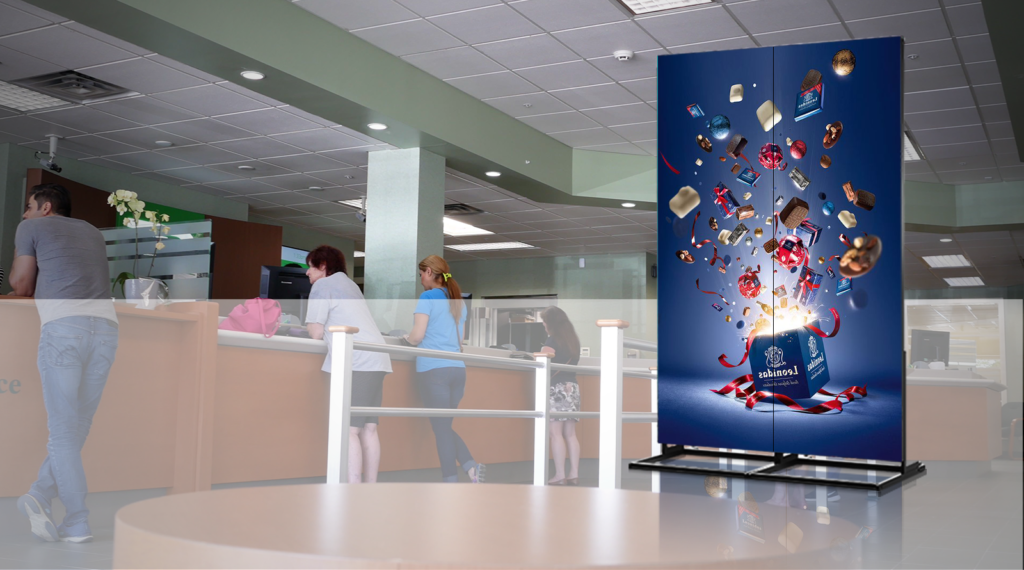
Yes, if the model supports it, and this is one of the clearest reasons to choose an LFD. Portrait screens suit standees, menu boards, wayfinding and poster-style ads. Our LFDs are designed for landscape and portrait. With a home TV, check whether the maker allows portrait mounting at all, because heat rises differently when the panel is turned on its side.
How do you change what an LFD shows?
Most LFDs can be run in one of three ways:
- Built-in media player. Content plays from the screen itself, from USB or over the network. No extra box.
- External player. A small PC or media player plugged into HDMI or an OPS slot, for heavier or interactive content.
- Content management software (CMS). You schedule playlists for one screen or hundreds from a browser, and see which screens are online. See our digital signage software.
For an IT team, also ask for RS-232 or LAN control, which lets screens be switched on and off, change input or report status remotely.
What’s new this month: the big brands are making screen management simpler for small shops. On 11 November 2026 LG launched a phone app, LG Signage Manager, that edits, schedules and pushes content to its e-paper signage without a PC (LG newsroom). In October 2026 Amazon began selling its own 55-inch 4K signage display with a built-in player, in the US only for now (Netzwoche, 16 October 2026). Both point the same way: a TV maker’s signage screen is a separate product from its TVs, built and supported for business use.
LFD, LCD video wall or LED wall: which do you need?

Use this as a first filter, then look at viewing distance and budget:
| Single LFD | LCD video wall | LED video wall | |
|---|---|---|---|
| Size | One screen, about 32–98 inches | Grid of LFD panels, any size | Built from cabinets, any size or shape |
| Seams | None | Thin lines (bezels) between panels | Seamless |
| Best for | Menus, notices, standees, meeting rooms | Control rooms, lobbies, data walls | Large walls, stages, auditoriums, outdoors |
| Close viewing | Very sharp (4K on one panel) | Sharp | Depends on pixel pitch |
| Outdoor option | Special outdoor LFD | Rare | Yes, high brightness and sealed |
If you are weighing an LED wall, our guide to what goes into an LED video wall quote explains pitch, brightness and running costs. For bezel-to-bezel grids, see our LCD video wall options.
What should you ask before buying an LFD?
- What is the brightness in nits, and can it dim on a schedule?
- How many hours a day is it rated for, and does the warranty cover that use?
- Can it be mounted in portrait?
- What is the operating temperature range, and is the mounting spot inside it?
- Does it have a built-in player, and which content software works with it?
- Does it support RS-232 or LAN control?
- Is the glass anti-glare? This matters near windows and bright lights.
- Who services it in your city, and how fast?
What we could not confirm
The brightness and duty-hour figures in this guide come from NEC/Sharp’s published white paper and our own spec sheets. Other makers use different classes, so always check the exact model. We checked one TV brand’s warranty wording (Sansui). Samsung India’s extended-warranty terms that we read did not mention commercial use either way, so do not assume every TV is or is not covered. Read the card that comes with yours. We have not printed LFD prices, because they change with size, brightness and features. Ask for a quote for your exact use.
Frequently asked questions
What is an LFD screen?
An LFD, or large format display, is a commercial-grade LCD screen, usually 32 to 98 inches, built for digital signage and business use. It is designed for longer running hours, higher brightness, portrait mounting and remote control, unlike a home TV.
What is the difference between an LFD and a TV?
An LFD is built and warranted for business use: longer daily hours, better heat handling, higher brightness (home TVs rarely exceed 300 nits, according to NEC), portrait mounting, RS-232 or LAN control, and measures against burn-in. A TV is built for a few hours of home viewing.
Can I use a TV as a digital signage screen?
For short daily use in a dim room it can work. But some TV makers state that commercial use voids the warranty, and static menus or logos can cause image retention. For screens that run all day, an LFD is the safer choice.
What size do LFD screens come in?
Common sizes run from 32 to 98 inches. Aaztec’s LFD range covers 32 to 98 inches in 4K. For bigger images, panels are combined into an LCD video wall, or an LED wall is used.
How bright should a digital signage display be?
About 350 to 500 nits suits normal indoor rooms. Bright lobbies and airports need 700 nits or more, according to NEC. Window-facing screens need high-brightness models of a few thousand nits.
What is the GST rate on an LFD display?
Monitors under GST heading 8528 moved from 28% to 18% from 22 September 2025. Confirm the HSN code and rate on your invoice with the supplier.